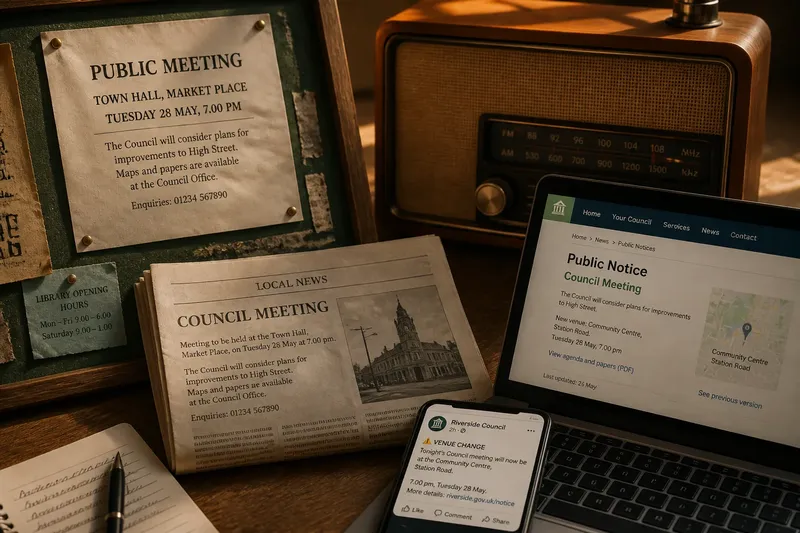
Your First Look at a Public Service Page
Read a public service page more carefully by separating its service description, contact route and practical instructions, so you know what to do next.
The common mistake with a public service page is to treat every instruction as a promise about what will happen. A form may record a fault without arranging a repair, while a contact link may lead to advice rather than a decision. Reading the page’s practical instructions separately from its service description helps you choose the right action and avoid expecting a result the page does not state.
What does the page tell you about the service?
Begin with the service description: the passage explaining what the organisation offers or handles. Look for concrete actions such as providing advice, accepting reports, arranging appointments or assessing requests. These verbs describe the service’s role more usefully than a broad heading alone.
Then distinguish that description from examples of problems the service may cover. A page about housing support might mention damp, repairs or tenancy questions, but those references do not necessarily mean the service carries out repairs. Check whether the page says it offers advice, receives complaints, makes referrals or performs the work itself.
Notice any partner organisations named on the page. A council may publish information about a service delivered by a charity, health provider or contracted operator. The page’s logo identifies its publisher; the description and contact details may identify who provides a particular part of the service.
Which details turn the description into useful instructions?
Practical instructions usually specify what to submit, where to send it and what information is needed. Look for a form, telephone number, email address, appointment route or documents to prepare. A page may offer several routes for different situations, so match the instruction to the issue rather than choosing the most prominent button automatically.
Check the wording around each route. “Report a problem” may invite the organisation to log an issue; “apply” may begin an assessment; “book” may reserve a conversation. Those actions are not interchangeable, and submitting one kind of request does not necessarily complete another process.
Pay attention to any sequence. If the page asks readers to contact a team before submitting a form, that order may matter. If it lists documents to bring to an appointment, treat the list as preparation instructions, not as a statement that providing them will settle the request.
How should you interpret what happens afterwards?
Separate the first action from the later outcome. Acknowledgement, assessment, referral and resolution are different stages. Unless the page says what follows, do not infer a decision, appointment, repair or response time from the fact that it provides a contact route.
Find any wording about what the service does after receiving a request. It may say that a team will review information, ask for details or direct the reader elsewhere. If it does not describe the next stage, you can ask the named contact what happens after submission and whether anything else is needed.
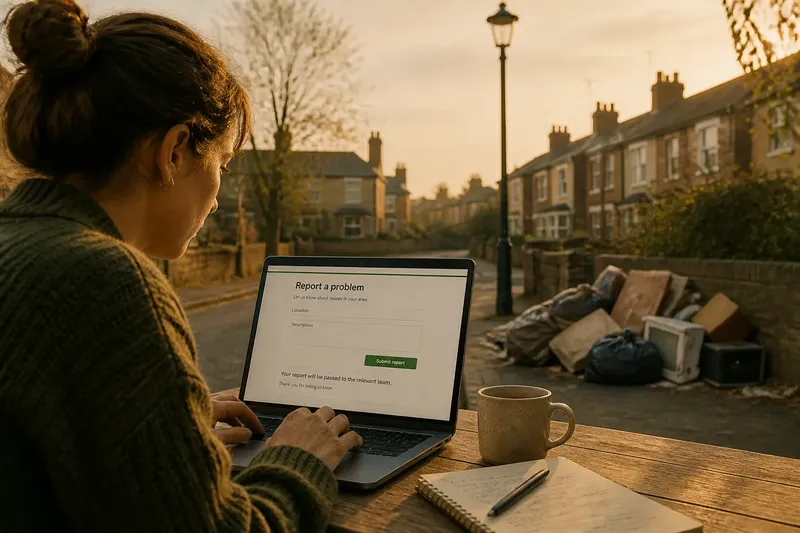
Imagine a resident sees a council page with a form for reporting a broken streetlight. The page asks for a location and description, then says reports go to the relevant team. The resident can use the form to notify the council; without further wording, the page does not establish when the light will be checked or who will carry out any work.
What questions help you read a public service page?
Does the page describe a service or merely direct me elsewhere?
Look for whether the organisation says it will provide help, assess a request, record information or refer you to another provider. If it names another organisation as the next contact, follow that route for the service it is responsible for.
What information do I need to provide?
Check the form fields and any preparation notes for the details requested, such as an address, description or supporting document. If an item is unclear or unavailable, ask the service contact whether you can submit the request without it.
Does submitting a form mean a decision has been made?
Usually, the form is a way to start or communicate a request, not the decision itself. Look for separate wording about assessment, eligibility or the response after submission.
Where can I ask what happens next?
Use the contact route attached to the service or form, and ask a specific question about the next stage. Keep a copy of the page title and the instruction that prompted your question so the team can identify the route you mean.
Which details should you check before acting?
Use the page itself to make a practical decision about what to do, rather than trying to infer the whole service from its title. For each item below, note the observation and follow the corresponding action:
- Check whether the page names the organisation providing the service; if it names a partner, use the partner’s contact details for that part of the service, then use the publisher’s route for questions about the page.
- Check whether the page describes advice, assessment, reporting or direct provision; if the action is clear, use the matching route, but if it is vague, ask the named team what the service actually does.
- Check whether the instructions name a particular form or contact method; if they do, use that route, but if several routes appear to conflict, contact the service before sending the same request through each one.
- Check whether the page lists information or documents to provide; if you have them, prepare them as instructed, but if something is missing, ask whether the request can proceed without it.
- Check whether the page explains what happens after submission; if it gives a next stage, follow it, but if it stops at receipt or submission, ask what to expect next rather than assuming an outcome.
- Check whether the page says who to contact for questions; if a named team or service desk appears, direct your question there, but if no contact is given, use the organisation’s general service channel and identify the page.
Say you have a council page about reporting fly-tipping. Its inputs are a report form, a location field, a description box and a note that reports are passed to the relevant team; it does not say when rubbish will be removed. First, you identify the form as a reporting route rather than a collection request. Next, you enter the location and a concise description, then submit the report and keep its confirmation. The resulting answer is that the council has received a report through the stated channel; the removal date remains unknown, so you use the page’s contact route to ask whether any further action or update is available.
When you revisit a public service page, keep your note focused on the service offered, the action requested and the information still missing. That makes a follow-up question specific, and it keeps the page’s actual instructions distinct from assumptions about what the organisation will do.